

Starter kit · Dog grooming, salon or mobile
Starting a dog grooming business?
Here are the first steps, straight from the official sources. Then grab a free app that takes bookings by dog size and gets you paid from day one.
Free to start · No credit card · Live in about 15 minutes
The first steps
Most people starting out in dog grooming work as a sole trader, from a small salon, a room at home or a mobile van. These are the registrations and checks that usually come first.
Step 1
Get an ABN
An Australian Business Number is free through the Australian Business Register. You quote it on your invoices.
Register for an ABN (business.gov.au)(opens in a new tab)Step 2
Register a business name, if you need one
If you trade under anything other than your own name, you must register it with ASIC. The fee is on business.gov.au and changes each July.
Register your business name (business.gov.au)(opens in a new tab)Step 3
Know when GST starts
You must register for GST once your GST turnover reaches $75,000 or more. If you expect to reach that in your first year, register from the start.
Register for GST (business.gov.au)(opens in a new tab)Step 4
Look at insurance
Public liability is not compulsory for every business, but some occupations need it. Sole traders are not covered by workers compensation, so think about cover for yourself too.
Types of business insurance (business.gov.au)(opens in a new tab)Step 5
Check the licences and permits for where you work
Rules for a home salon or a van parked at the kerb are set locally. ABLIS lists the licences, permits and registrations for your type of business and your location, including your council.
Find the licences you need (ABLIS)(opens in a new tab)Step 6
Keep your records
The ATO says to keep most business records for 5 years: invoices, receipts and bank records.
Record keeping rules (ATO)(opens in a new tab)Step 7
Work through the full checklist
business.gov.au has a step-by-step guide to starting a business, with a checklist you can download.
Starting a business guide (business.gov.au)(opens in a new tab)
General information only, not legal, tax or financial advice. Rules change, so check each official page (links checked 7 November 2026) or ask an accountant for your situation.
Your launch-day app, free to start
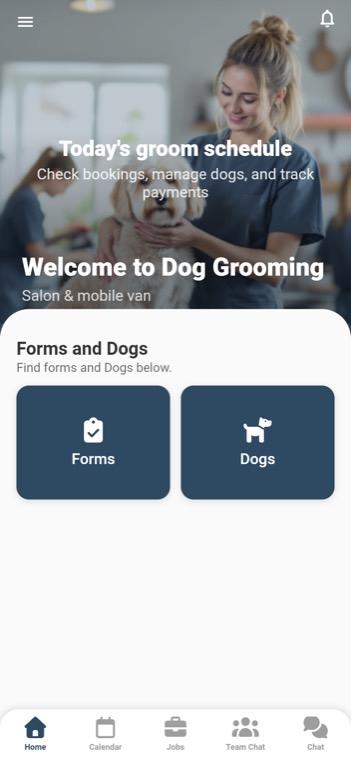
Copy our Dog Grooming template into your own app, put your name, logo and colours on it, and you can take your first booking today.
Free plan: no credit card. Payments go straight into your own Stripe account, with a 2% platform fee. An AI phone receptionist is a paid add-on, see pricing.
Bookings by dog size
Owners book online and pick their dog’s size, so the time and price fit the groom.
Paid at booking or pick-up
Owners pay when they book or when they collect their dog, on their own phone.
A record for every dog
Notes, groom history and vaccination certificates kept against each dog.
Quotes for the extras
Send a quote for a big de-matting job or extra services before you start.
Groom forms on your phone
Fill in your groom forms on a phone and keep them on file.
Your team in one place
Team chat and a forum instead of the group text, once you take on help.
You like it. Now what?
Here’s every step, from tapping the button to your first customer booking. You can do all of it yourself.
Get your free copy
Tap Get the free app and create your account. No credit card. We make you an exact copy of the template, every screen and feature.
Put your name on it
Type your business name. If you have a website, add it and we pick up your logo and colours. If not, upload a logo and choose your colours, or skip it for now.
Set your services and prices
In your dashboard, open Bookings and change the sample services to yours: what you offer, how long it takes and what it costs. Swap the sample quotes and forms for your own too.
Connect Stripe to get paid
Connect your Stripe account under Payments, and customer payments are deposited directly into it, with a 2% platform fee. Rather be paid in person? Set a service to pay in person and you don’t need Stripe for it.
Try it as a customer
Every booking service has a testing page. Book yourself in to see exactly what your customers will see, without making a real booking.
Bring in your team
Working with others? Invite them from Members. They get your app from the App Store or Google Play with your join link or QR code, or open it in a web browser.
Give it to your customers
Copy your booking page link and put it wherever customers find you: your website, Google Business Profile, Facebook, Instagram and your text replies. You can also add it to your website as a booking button. Customers book and pay on their phone, with nothing to download.
Grow when you’re ready
Start on the free plan. When you want more, the paid plans and the AI receptionist add-on, which answers every call in your business’s name, are on the pricing page.